
Repair Tracker AI
The Ice-Watch repair system, redesigned with what exists in 2026: an AI voice line and text line for customers, photo recognition at intake, and a HubSpot ticket behind every claim. A worked example of what we build for companies with a repair or warranty backlog.
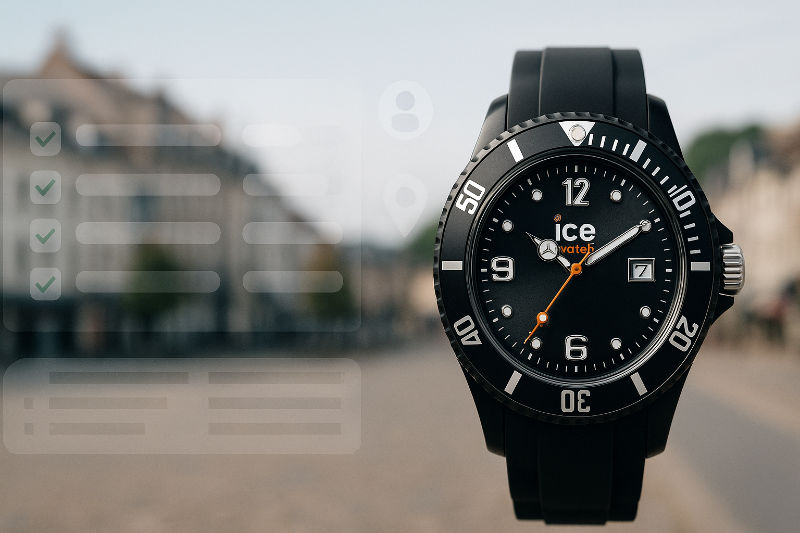
What the original did
From 2011 to 2015, the Ice-Watch Repair Tracker (ASP.NET MVC and SQL Server) took retailers, distributors and repair centers through a step-by-step repair workflow. Every claim carried a barcode, packing lists were generated for each shipment, and shops and customers could follow the status of a repair in real time.
Distributors had dashboards per country, the customer interface ran in four languages, and the system was deployed in more than 40 countries. Average repair time went from eight weeks to three.
→Read the case studyWhat changes with AI
The workflow stays. What changes is how a claim comes in, how the customer hears about it, and where the record lives.
| Step | 2011 system | AI version |
|---|---|---|
| Intake | The shop types in the claim and scans a barcode | The customer or the shop sends a photo; the model, the damage and the warranty window are pre-filled, and the shop confirms |
| Diagnosis | The technician writes it up from experience | An assistant shows matching past claims, the parts used and how long the fixes took; the technician confirms |
| Status to the customer | Log in and check, or call the shop | A text at every step, and a voice line that answers with the status 24 hours a day |
| Questions and escalations | Phone calls to the shop and emails to the distributor | The voice line and the text line answer the routine questions; an urgent call can be put through to a person live |
| Record of the claim | The tracker's own database | A HubSpot ticket with the photos, the diagnosis, the calls with transcripts and the texts on one timeline |
| Languages | Four, translated by hand | The web interface and the status texts in each person's language, from one set of source content (the voice line speaks English) |
| Reporting | Custom dashboards per country | HubSpot pipeline views by stage, country and product line, with SLA warnings |
Six pieces around the same workflow
Four for customers, shops and repair centers, two for the technicians and operators. In each one, a person stays in the loop.
Photo intake with AI recognition
The customer or the shop photographs the product. The system identifies the model and the visible damage and, where the brand provides a reference set, flags signs that the item is not genuine. It pre-fills the claim, suggests the likely repair and checks the warranty window against the purchase date.
In the loop: the shop confirms the claim, and a person decides whether the warranty applies.
An AI voice line for support
A customer calls and gives a claim number, name or phone number; it checks the caller against the claim before it shares anything. They hear where the repair is and what happens next. It can open a claim, take a message for the repair center, and put an urgent call through to a person live, with call screening. Every call is logged with its transcript.
In the loop: urgent calls go through to a person; if nobody picks up, it takes the message.
A text line
The tracker sends a status text at each step: received, diagnosed, waiting for a part, repaired, shipped. When the customer replies with a question, the receptionist answers on the same thread from the approved profile.
In the loop: anything outside the approved profile is handed to a person, never guessed.
A HubSpot ticket behind every claim
The claim, the photos, the diagnosis, every call and every text sit on one ticket, and the retailer, the distributor and the repair center see the same timeline. Owners get pipeline views (claims by stage, by country, by product line) and SLA warnings without a custom reporting module.
In the loop: people work the ticket; the AI pieces add to it and never close it.
A repair assistant for technicians
For each claim, the assistant shows similar past claims (same model, same symptom), what fixed them, which parts were used and how long they took.
In the loop: the technician confirms or changes the diagnosis; the assistant never closes a claim on its own.
Multilingual by default
The original ran in four languages, each translated by hand. The AI version serves customers, shops and repair centers in their own language in the web interface and the status texts, from one set of source content. The voice line speaks English.
In the loop: people write and approve the source content.
The same system in other industries
The workflow is the same wherever a product goes back for repair; what changes is what the photo shows and who is in the loop.
Retail: watches, jewelry and eyewear
A customer photographs a scratched watch face at the counter. The system identifies the model, checks the purchase date on the receipt photo, opens the claim and prints the packing label. She gets a text when it reaches the repair center and calls the voice line a week later to hear it is waiting for a part.
Consumer electronics and appliances
A dealer sends a photo of a coffee machine's error display. The assistant matches the code and the model to past claims and suggests the likely part before the unit ships. The distributor sees the month's parts demand on the HubSpot dashboard.
Bicycles and e-mobility
An e-bike shop photographs a battery pack and the frame's serial plate. The system flags the battery as part of a recall series, opens the claim under the recall program and routes it to the right service center. The rider gets status texts in Dutch, the language she chose when the claim was opened.
Power tools and outdoor equipment
A contractor calls the voice line from a job site, gives the tool's serial number and describes the fault. The receptionist opens the claim, and the tracker texts him the drop-off address and label. The technician sees three similar claims before the tool arrives.
Luxury goods: handbags, shoes and leather
A boutique photographs a bag's hardware and stitching. The system checks it against the brand's reference set, identifies the repair type and quotes the standard repair from the brand's price list for the client's approval. The concierge, not the AI, decides on anything outside the list.
Industrial equipment with dealers
A dealer technician photographs a damaged control panel. The claim opens against the machine's serial number and warranty terms, and the manufacturer's repair center sees the photos before the part is shipped. Every call between dealer, manufacturer and end customer sits on the same ticket.
Why not a generic help desk?
A help desk gives you tickets; it does not know what a repair is. The workflow (intake, diagnosis, parts, repair, return), the barcodes and packing lists, the rules that differ by country and the roles of shop, distributor and repair center are the product, and that is what the original Repair Tracker got right. We use HubSpot for what it is good at (the timeline, the pipeline views, the notifications) and build the repair workflow around it.
How we would build it
Phase 1, the tracker with a ticket behind it
The workflow, roles, barcodes and packing lists in .NET on Azure; every claim a HubSpot ticket; a status text at each step, on the line the Text Receptionist answers.
Phase 2, photo intake
Azure AI Vision on the brand's product images, the pre-filled claim, the warranty check, and the technician assistant on the claim history.
Phase 3, the voice line
The AI Voice Receptionist with a custom connector to the tracker: status by claim number, opening a claim, a message to the repair center, and live transfer.
Each phase is usable on its own. Phase 1 alone replaces the spreadsheet.
Have a repair or warranty backlog?
Tell us how claims move through your business today and we will show you which of these pieces would pay for themselves first.
Questions
Is Repair Tracker AI a product I can buy?
Not as a product. It is a design we build for a client, on their own systems and in their own Azure subscription. The pieces it uses, the AI Voice Receptionist, the Text Receptionist and HubSpot, are available today.
Does the photo recognition approve warranty claims?
No. It identifies the product and the damage and pre-fills the claim. A person decides whether the warranty applies.
Can it work with the ticketing system we already have?
Yes. HubSpot is the default because it gives the timeline and pipeline views without custom code; a connection to another help desk is a custom connector, scoped on a call.
What happened to the original Ice-Watch system?
It ran from 2011 and was licensed to distributors in more than 40 countries. The case study is on this site.
How do I know which piece to start with?
Start with where the calls come from. If customers call the shop to ask where their repair is, the voice line and text updates come first. If the shops mis-type claims, photo intake comes first.
We’re on top of things and aim to respond to all inquiries within 24 hours.
Imhauser Technologies
McLean, VA
United States
Available on-site across the DC metro, Tysons, Reston, Arlington, and Washington, DC, as well as hybrid and remote worldwide.